Claude 使用环境的 Mac 自检工具A Mac self-check for your Claude setup
身份一致,逐项达标One consistent identity, item by item
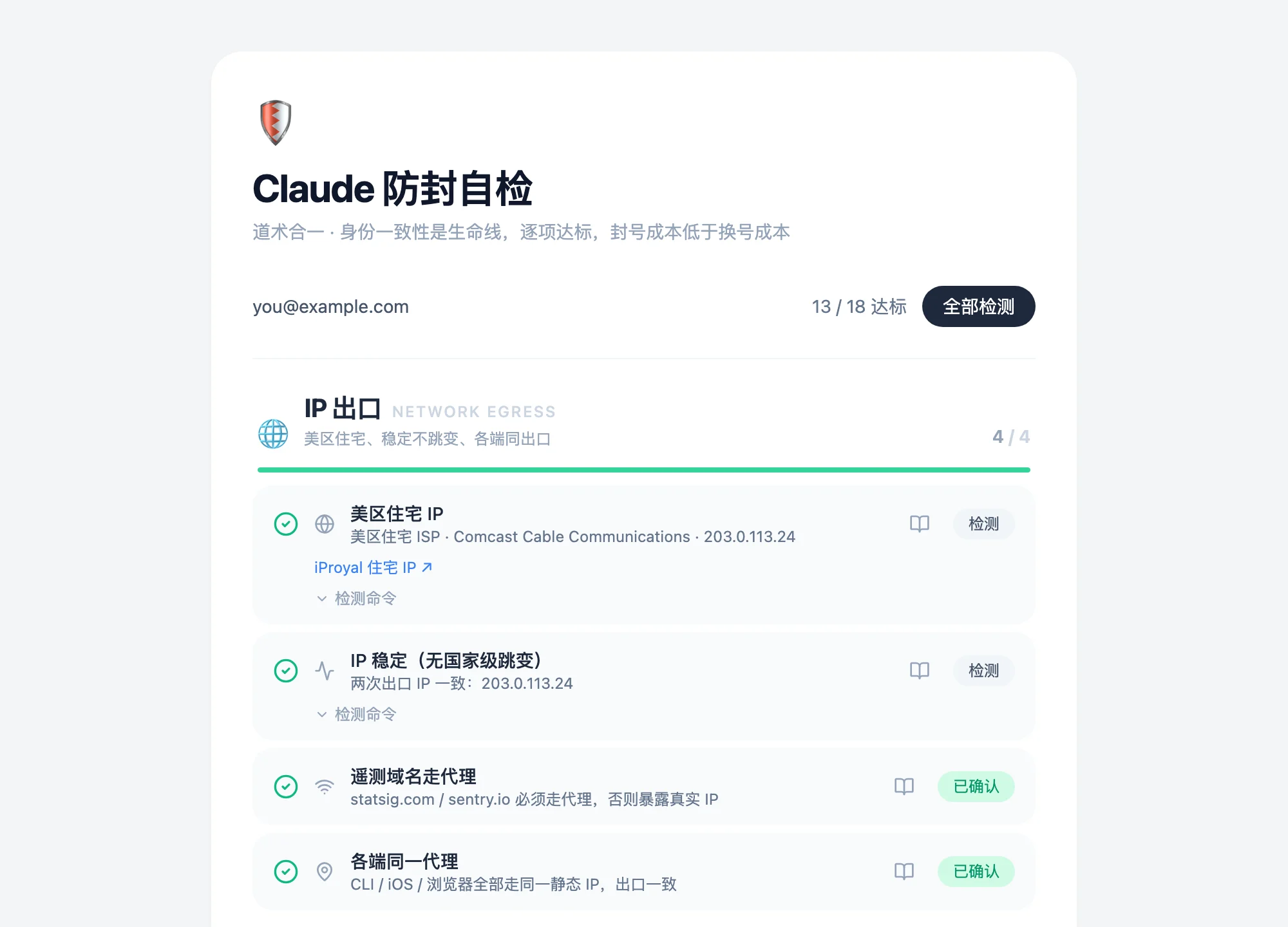
IP 在美国、时区在上海、语言是中文,这样的账号在风控眼里前后矛盾。Claude 防封自检把出口 IP、代理链路、账号身份、浏览器、支付和使用习惯拆成 18 项:能测的在本机跑命令实测,测不了的附上做法,你核对后自己勾上。An account with a US IP, a Shanghai time zone and a Chinese locale contradicts itself. Claude Check splits your setup into 18 items across network egress, proxy, account identity, browser, payment and habits. What can be measured runs as a command on your Mac; the rest comes with a how-to, and you tick it off yourself.
在终端里运行 · Apple Silicon · macOS 11 及以上 · 再运行一次就是更新Run it in Terminal · Apple Silicon · macOS 11 or later · run it again to update·下载 .dmgDownload .dmg
六组,18 项Six groups, 18 checks
「实测」项点检测就在本机跑一条 shell 命令,按输出判定达标、警告或不达标。「自查」项是账号和习惯,命令测不了,看完教程自己确认。"Measured" items run a shell command on your Mac and judge its output as pass, warning or fail. "Self" items are about accounts and habits that no command can see; read the how-to and confirm them yourself.
IP 出口Network egress
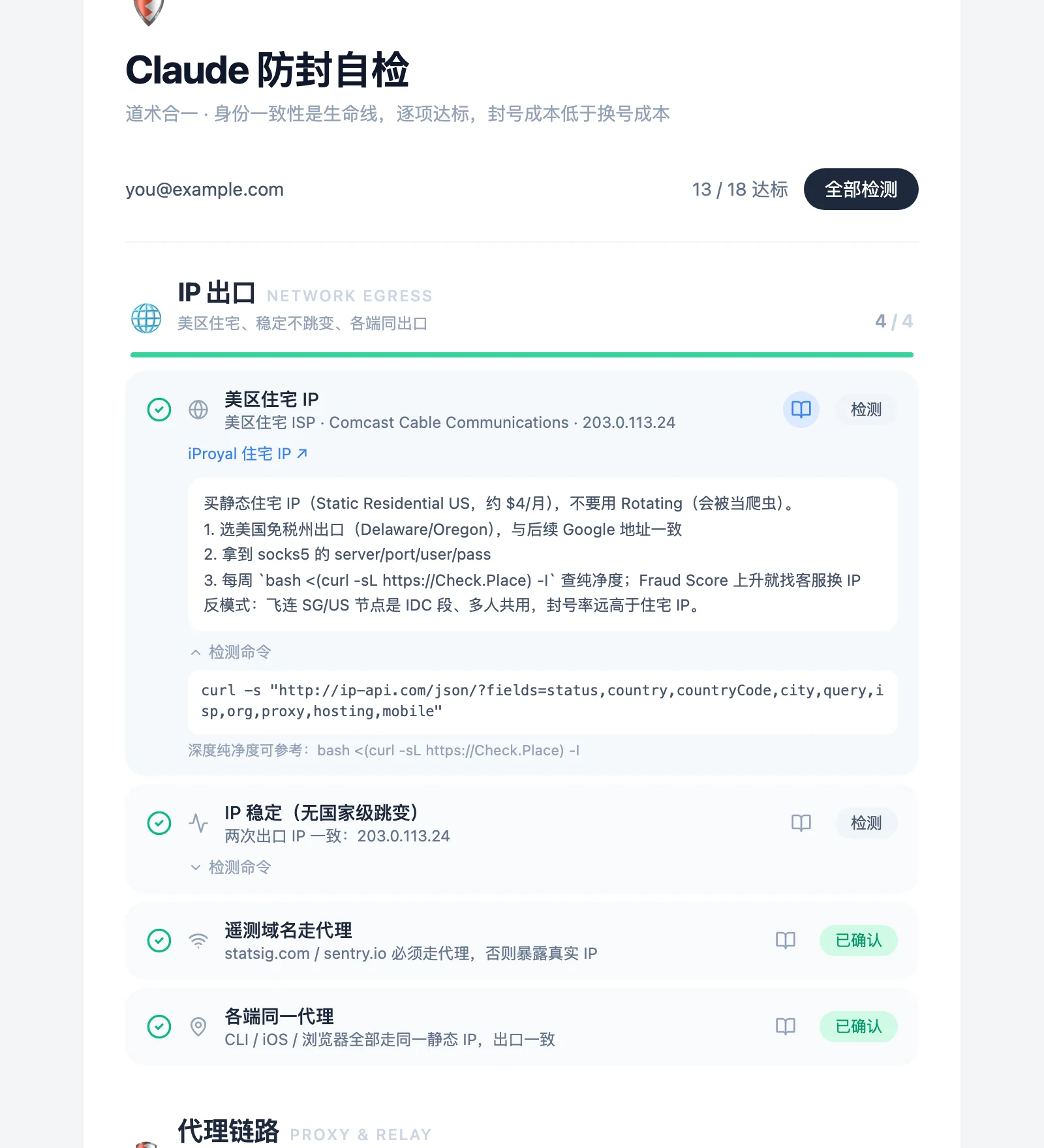
美国住宅 IP,非机房、非代理、非移动网US residential IP: not hosting, proxy or mobile实测Measured
出口 IP 稳定,没有跳变Egress IP stays the same实测Measured
遥测域名也走代理Telemetry domains go through the proxy too自查Self
CLI、iOS、浏览器同一出口CLI, iOS and browser share one egress自查Self
代理链路Proxy and relay
代理客户端已安装并在运行Proxy client installed and running实测Measured
claude-relay 中转在运行claude-relay is running实测Measured
三网优化 VPS 加速An optimized VPS for a steadier route自查Self
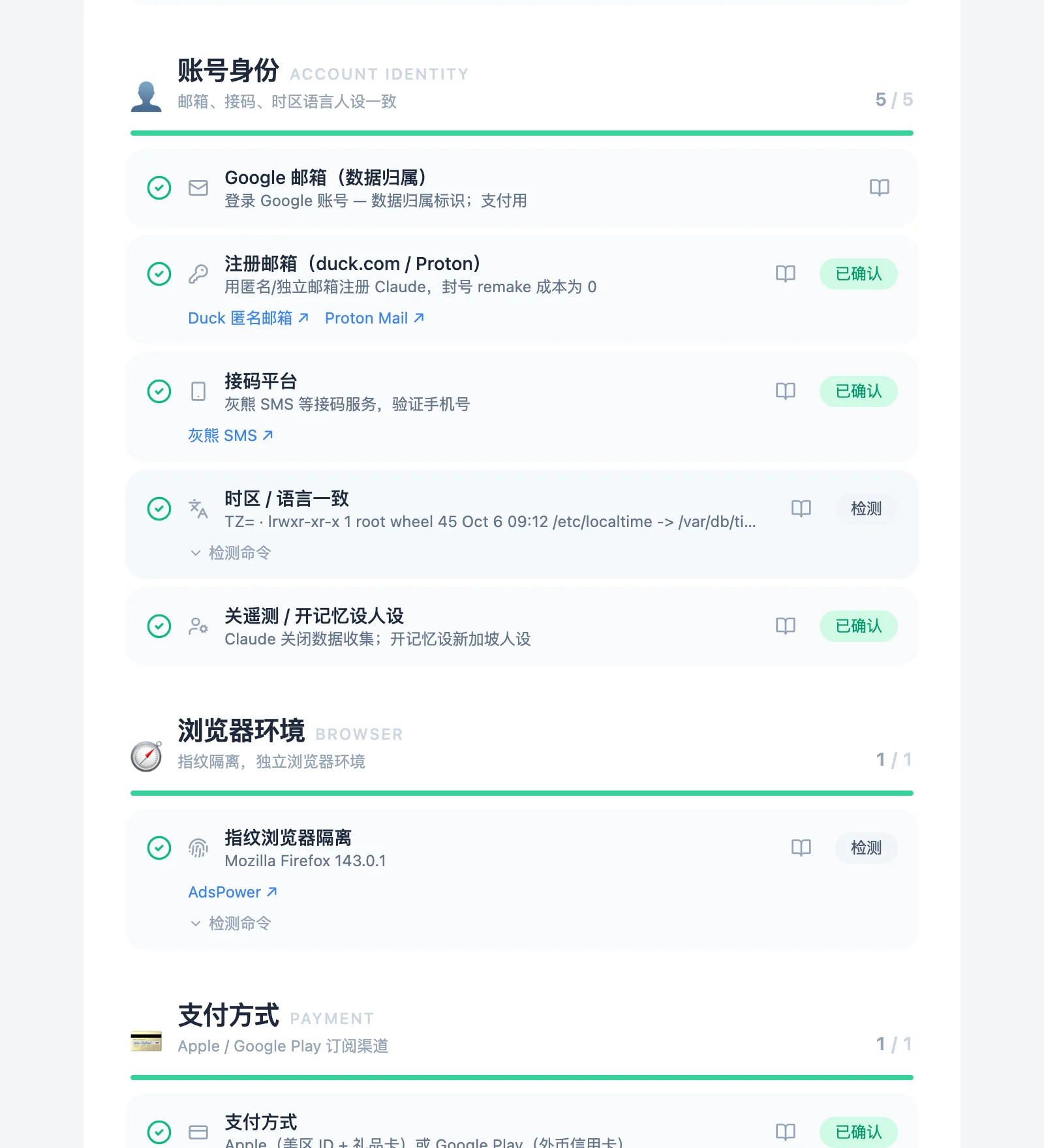
账号身份Account identity
时区和语言与 IP 一致Time zone and locale match the IP实测Measured
独立的注册邮箱A separate sign-up email自查Self
手机号验证Phone verification自查Self
关闭数据收集,记忆里人设一致Data sharing off, a consistent persona in memory自查Self
Google 账号(可选登录)Google account (optional sign-in)登录Sign-in
浏览器环境Browser
有独立的隔离浏览器A separate, isolated browser is installed实测Measured
支付方式Payment
Apple 或 Google Play 订阅渠道Subscribe through Apple or Google Play自查Self
使用习惯Habits
额度均匀用,不一次用满Spread usage out; don't burn the quota at once自查Self
新号循序渐进Ease a new account in自查Self
Pro 稳定一个月再升 MaxA steady month on Pro before Max自查Self
重要数据有备份Keep backups of anything important自查Self
每项都有做法,命令也摊开Every item has a how-to, every command is shown
点书本图标展开教程:怎么配、常见的反模式。实测项的命令可以展开看,判定只看命令输出,没有隐藏逻辑。查出口 IP 会访问 ip-api.com 和 ifconfig.me。The book icon opens the how-to: what to set up and the usual mistakes. Measured items show their exact command, and the verdict comes only from its output. The IP checks call ip-api.com and ifconfig.me.
测不了的,自己勾What can't be measured, you confirm
邮箱、接码、支付、使用习惯这些,shell 看不到。读完教程,核对好再点「标记」。每组顶部有进度条,一眼看出哪块还差。结果存在本机;登录 Google 是可选的,登录后结果同步到你的账号。Email, phone verification, payment and habits are invisible to a shell. Read the how-to, check, then mark it. Each group has a progress bar, so the gaps stand out. Results stay on your Mac; Google sign-in is optional and syncs them to your account.
下载最新版,先校验签名,再装到 /Applications。没有管理员权限的话装到 ~/Applications。Downloads the latest version, checks its signature, and installs to /Applications (or ~/Applications without admin rights).
要更新,再运行一次同样的命令。运行前请先退出应用。To update, run the same command again. Quit the app first.
应用没有经过 Apple 公证,第一次打开会被拦下。先双击打开一次,再到「系统设置 → 隐私与安全性」,点「仍要打开」。The app isn't notarized by Apple, so macOS blocks the first launch. Open it once, then go to System Settings → Privacy & Security and click Open Anyway.
应用界面目前只有中文。The app's interface is in Chinese for now.